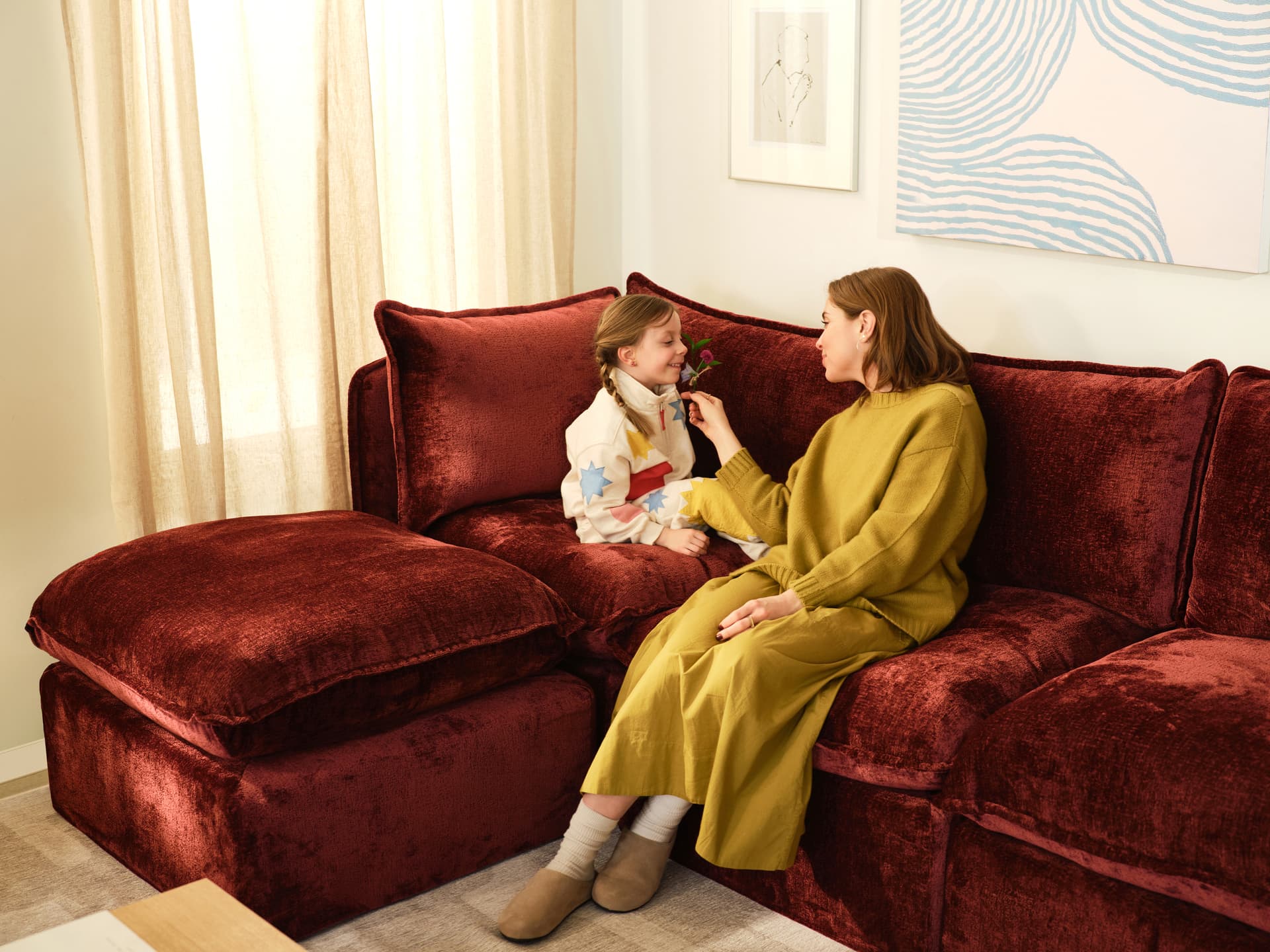
Short answer: Yes, you can add to a Cozey sofa later. Each collection is built from modules that connect without tools, so you can add seats, a corner, and in most collections a chaise or an ottoman, then rearrange the pieces as your space changes. What you add has to be compatible with what you own: the size, the back style and the seat type must match within a collection, and modules from different collections should not be assumed to connect.
Starting small and growing is one of the main reasons to buy a modular sofa. The sections below explain what each collection lets you add, what can and cannot be mixed, and what to expect from colour and fabric when the new piece arrives after the old ones.
On This Page
- Can I really add to my sofa after I buy it?
- Which modules can I add to each collection?
- What cannot be mixed, and what is not an upgrade path?
- Chaise, ottoman or another seat: which addition fits what you need?
- Will new modules match my older ones?
- How do I plan an addition step by step?
- Our recommendation
- Explore our sofas
Can I really add to my sofa after I buy it?
Yes. Our product pages describe it directly. The Ciello page says its modular design lets you add compatible seats, create larger sectionals or introduce a dedicated chaise, and the Gaia page says you can start with a smaller sofa and add compatible seats or corners to create a larger sectional. The Orian page says you can add compatible sleeper modules for a wider sleeping surface, and the Cassini page says you can rearrange compatible modules as your space changes.
Two limits apply. First, compatibility between different collections, product generations and replacement components varies, so confirm that a module fits your sofa before you buy it. Second, availability of a given module or fabric over time is not guaranteed. Our guide to what a modular sofa is explains the idea in more detail, and our sofa vs sectional guide shows how an added corner changes the shape. Once you own the pieces, our guide to reconfiguring a sectional covers moving them around.
Which modules can I add to each collection?
The table lists what each collection offers as an addition, and what has to match your existing sofa. Read your own layout in the configurator, because the exact options depend on the version you own.
Which modules can I add to each collection?
| Collection | What you can add | What has to match |
|---|---|---|
| Neptune | Seat modules, corner modules and an attachable ottoman | Both arms are required, and left and right arms are side-specific |
| Orian | Sleeper seats, storage seats, a corner seat and a storage ottoman | Both arms are required, and left and right arms are side-specific |
| Atmosphere | Seats, a corner, a chaise, an ottoman and a long ottoman | One seat type for the whole sofa: Regular, Storage or Sleeper |
| Ciello | Seats, corners, a left or right chaise, a plateau and a storage ottoman | Regular or XL, and Original or High Angled backs, across the whole sofa |
| Gaia | Seats, corners, a chaise and a storage ottoman | Regular or XL across the whole sofa |
| Cassini | Seats, 45-degree wedges, corners and arms | Left and right arms are separate modules; no matching ottoman |
Ciello and Gaia are a good example of why the size rule matters. Regular and XL modules cannot be mixed in one sectional, so an XL addition will not connect to a Regular sofa. On Atmosphere, the Sleeper version offers armless seats, corners and ottomans, while the Regular and Storage versions also offer the chaise and the long ottoman.
What cannot be mixed, and what is not an upgrade path?
Some choices are fixed when you buy the first piece. Check these before you order more.
- Atmosphere seat type: Regular, Storage and Sleeper seats cannot be combined within one sofa. Changing from one to another means buying a new sofa, so a seat swap is not an upgrade path.
- Atmosphere back style: the round-back style has its own rounded arms and is not compatible with the long ottoman or the square arm.
- Ciello backrests: use Original or High Angled across the whole sofa, not a mixture.
- Ciello and Gaia size: keep Regular and XL separate.
- Neptune and Orian arms: both arms are required, so adding a seat means planning where the arms go.
- Cassini arms: moving an arm to the other side needs the matching left or right arm module.
These rules come from our product pages and configuration guides. Our guide to which Cozey sofa configuration fits your living room covers them in the context of room planning.
Chaise, ottoman or another seat: which addition fits what you need?
The right addition depends on the problem you want to solve.
- More seating in a row: add a seat module. Seat widths differ by collection, and our guide to how many modules you need lists them so you can check the wall.
- More seating in a corner: add a corner module to turn a straight sofa into an L-shape. Corners are available on all six of our modular sofas.
- A place to stretch out: add a chaise where the collection has one. The Ciello chaise is 54.5 inches (139 cm) deep, and the Gaia chaise is 55.1 inches (140 cm) deep in Regular and 59 inches (150 cm) in XL. Atmosphere offers a chaise in the Regular and Storage styles.
- A footrest that also stores things: add a storage ottoman (our guide to sofas with hidden storage maps where each collection keeps its storage). The Ciello storage ottoman holds 75 litres (2.65 cubic feet), and the Gaia ottoman can also create a chaise-like arrangement in front of a seat.
- More room to sleep: on Orian, add a third sleeper seat for more width, and on Neptune plan the seats and ottomans to suit the bed you want. Our guide to sofa beds with storage covers where bedding goes.
Ottomans differ in how they sit. The Gaia and Ciello ottomans are freestanding rather than attached, while the Neptune ottoman attaches to the sofa and the Orian storage ottoman moves freely. Cassini does not have a matching ottoman, so plan its footprint with seats, wedges and corners only. Our guide to storage ottomans that double as seating compares the ottomans across our range.
Will new modules match my older ones?
We do not promise an exact match. The colours and fabrics we offer can change over time, so a module ordered later may not be available in precisely the shade you chose first. Check the product page for the colours on offer on the day you order, and order free swatches to compare against your existing sofa in your own light.
If the colour you own is still available, choose it. If it is not, you have three practical options:
- Choose the closest colour in the same fabric. Match the fabric first, because the fabric changes how the cover looks and feels.
- Make the difference deliberate. A chaise or an ottoman in a contrasting colour reads as a design choice rather than a mismatch. Our guide to choosing a sofa colour helps you pick.
- Refresh the whole sofa. The product pages for Atmosphere, Cassini, Ciello and Gaia show that replacement covers are available for these compatible collections (Atmosphere, Cassini, Ciello and Gaia), so you can refresh the look without replacing the frame. On Ciello, the seat, back and arm cushion covers zip off and the base cover is held under the seat base with Velcro.
On Neptune and Orian, only the seat and back cushion covers are removable, and the arm and base covers are fixed, so new covers cannot change the whole sofa colour.
Comfort can differ slightly too. The loose cushions on Ciello and Gaia soften gradually with use, so a new seat is likely to feel fuller than one you have used for a while. This is a general expectation, not a product specification. Fluffing and rotating the cushions every week or two helps them settle at a similar loft, and a Ciello chaise cushion is vacuum sealed for shipping, so it can take up to two weeks to fully expand after delivery.
How do I plan an addition step by step?
Work through five checks before you order.
1. Identify what you own. Note the collection, the version (Regular or XL, Regular, Storage or Sleeper), the back style and the fabric.
2. Measure the space. Allow for the full footprint of the new piece, including a chaise or an open sleeper surface. Leave a clear walkway in front of the sofa; our configuration guide above gives clearances to plan around.
3. Check the route. Modules arrive in smaller boxes, which helps in narrow hallways and stairwells. Our guide to measuring stairs, elevators and doorways shows how to check.
4. Check compatibility. Use the configurator and the table above to confirm the new module connects to your sofa.
5. Plan the setup. Modules connect without tools. Our assembly guides list about 20 minutes per module for Neptune, Gaia and Ciello.
If you are not sure which module fits your sofa, we can review your layout with you in a free design consultation.
Our recommendation
- You want flexibility and are not sure how many seats you need: start with a two-seater and add later. All six of our modular sofas are built for this.
- You expect to need a guest bed later: choose a sleeper version from the start (Neptune, Orian or Atmosphere Sleeper), because Atmosphere seat types cannot be changed afterwards.
- You want a chaise eventually: choose Ciello, Gaia or Atmosphere, which offer one, and decide on Regular or XL now because the sizes cannot be mixed.
- You want a curved layout: Cassini lets you add wedges and corners, but it has no matching ottoman.
- You want your sofa to look uniform: add modules soon after your first order, order swatches, and check which colours are on offer before you buy.
For help choosing a collection, read our guide to which Cozey sofa is right for you, or see our product guides for Ciello, Gaia, Atmosphere, Neptune, Orian and Cassini.
Explore our sofas
Product specifications can change. Check the current dimensions on the product page before ordering.